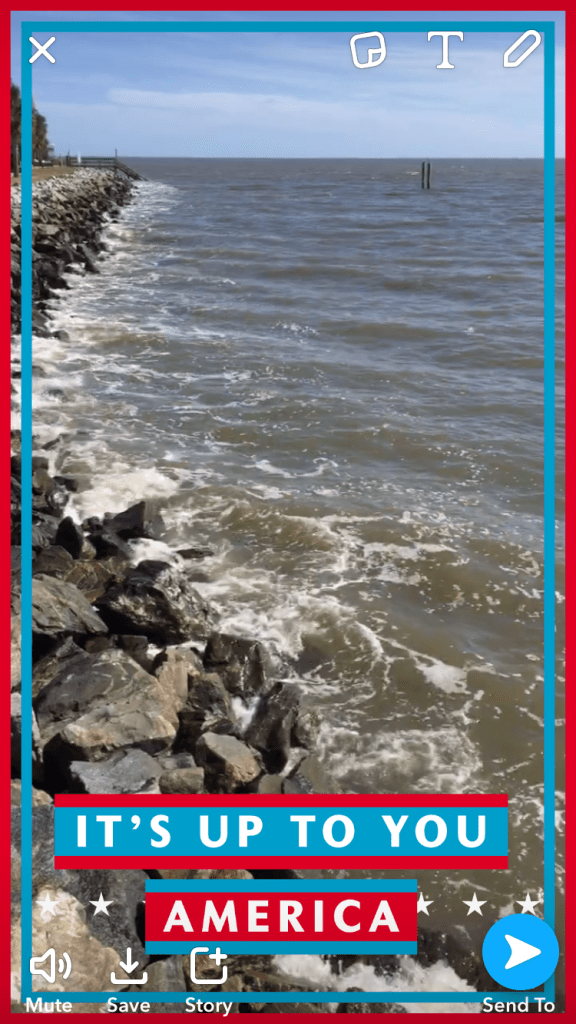
I see SnapChat (now known as SnapInc) is capitalizing on this 2016 Election Day with a whole bunch of different snap filters.
Also pondering if they have a stronger presence in swing states by capitalizing on geolocation filters and then using it for poll and voter analytics.
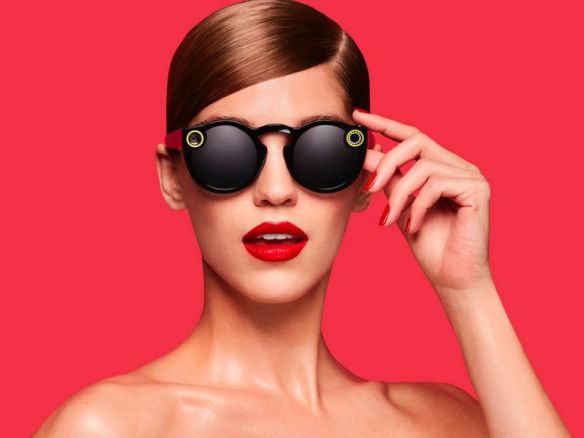
I also wonder what filters (if any) they have that are specifically associated w/ their new SnapChat’s Spectacles (SnapInc’s new Sunglasses that pair with the SnapChat).
Using SnapChat for preparedness isn’t as easy as one would think.
So here is yesterday’s snap in sleet.
Few items that I have to ponder for next time:
1. Portrait vs landscape. Since MOST of our recipients will be viewing this on a mobile platform (vertical), we should shoot the videos in portrait mode. That makes “selfie” solo production a bit more difficult. Hint: You might want to stop making fun of that selfie-stick now and get one.
2. Outside conditions (esp in our line of work) necessitates an external lav mic. I have one and I totally forgot to use it.
3. Framing needs to be assessed because the shot needs to include room for text.
4. Remembering which side is up during landscape video shooting is important. (I purposely did it so I can see if viewers rewatched the video to get the full effect). But SnapChat’s analytics don’t show amounts on segments – it only shows who has initially watched.
5. My shot list should have included various parts of the vehicle. Similar to a news package, varied backgrounds would likely keep audiences more engaged and keep their interest.
6. Filming in sleet isn’t fun.
7. Clean your lens. A lot.
8. Turn off your engine. Ambient noise will affect your sound (esp being so close).
9. I should have used some sort of emoticons to appeal more to a younger demographic/audience.
10. Saving the snap to YouTube (in its entirety) so that it can be used for other preparedness efforts (including separated sections).
I know the 10 items are detailed and nerdy, but as PIO or PAO or Communications Pros, I feel we should regularly share our lessons learned with others so we can all improve our tactics and deliveries.
15-005: Facebook looking more Twitterish or Tinderish or SnapChatish
Agency: Facebook platform
Topic(s): Facebook (personal)
Date: 10-02-15
Platform: Facebook
A few hours ago, Facebook just rolled out a few new features you should be aware of.
First, right below your personal profile picture, you can see they have added an additional sentence so you can add a description about you.
For this specific feature, Facebook has limited you to 101 characters, attempted imbedded emojis or other linking directives (like Twitter handles outside of Facebook world) do not work.
Why is this important? Three things:
It allows Facebook to gather more information about you by allowing you to place topics that best reflect you (aka self-identified targeted words).
They can use these descriptors to serve you more ads and/or grow your networks to those with similar word associations.
Hyperlinks do not work in this descriptor box.
And if you think this is familiar, this description feature box parallels Twitter’s description box which is also located below your twitter name and Twitter handle.
Facebook has also added a new feature where you can add 5 additional pictures about yourself. Think of this as an enhanced profile picture. This allows you to showcase 5 different profiled images of yourself on your personal Facebook page.
This feature obviously makes it look more Tinderish. Gawd – *swipe left* please!
Why more pictures? Better facial recognition. User contributed best profile pictures of themselves for identification.
A few days ago, Facebook crashed as they were pushing for the launch of their 360-video, but if you thought this feature could lead to a few seconds of video profile picture of yourself, you would be SnapChat correct.
Two new features on Twitter….I mean SnapChat….I mean Tinder….I mean Facebook.



 Where is @rusnivek?