
Did some Facebook Live today w/ Denver International Airport’s Exercise Program Coordinator Ashlee Herring.

Fun stuff esp since we recorded it in Terminal A. (Totally in the airport wild!)
Found out a few things about Facebook Live:
1. First off, the viewing screen is square. That does make it difficult since most TV stations and broadcast media are doing things in landscape mode and want to fill the entire screen. Also, I doubt your TV at home is square right?
2. Turn off cell service. An inbound phone call (like I got one at 6:23). The phone call will stop the broadcast and force you to restart the broadcast. Basically, looks like a hiccup in the video.
3. No matter the environment, an external mic is necessity. Ambient noise would have overtaken the native iPhone mic being used.
4. Questions that were asked in real time would be hard to see from on-camera subjects. If we had a stand, it would have been easier to read questions and respond to them.

5. Also brings me to the next point about “liking” comments that people have added. I barely could do that w/ my fat fingers on the iPhone screen (far right). So perhaps another person behind the camera to Marshall the comments and engage w/ participants.
6. If there were any, I couldn’t see the real-time floating emoticons.
7. Because of the size issue, maybe consider using an iPad for Facebook Live broadcast. Tiny screen on iPhone 6 does not allow for much room for tap error. #FatFingers
8. Without the ability to add hyperlinks in the video, I was relegated to using paper flags created from chopsticks to identify audience questions. This could prove challenging because we often want to drive our audiences to a website, blog, or other reference info.
9. A solid platform or tripod is a necessity for a camera. Despite your cool guy Otterbox case being heavier, it will not stand up to the lightest breeze (reference my previous periscope fail due to high winds).
10. Front facing lighting on subjects is a necessity. Even though the airport has SO much light, we obviously we’re too dark. Think of othe complexities in a nighttime broadcast or challenging weather. Those kinds of environments will force you to be a solid tech guy carrying around a lighting package.
11. Remote actuation doesn’t work so my Bluetooth remote starter will not actuate (or turn off) Facebook Live. Perhaps this is a feature that Facebook is working on in the next update, but at this time, you have to awkwardly push push button to stop live broadcast.
12. In the beginning of the broadcast, you need to allow for some time for people to join in and get acclimated to the newer platform. Similar to a cconference call, people need to get situated. I know it’s Facebook, but it’s still different for those who are watching/participating.
13. Sadly, it had a similar feeling to conference call.
14. Unsure if any hashtags would have helped as I was not looking for more audience members. But I assume Facebook’s lack of # use will not be a driving force of users who search Facebook for hashtags to watch live videos.
15. I did not turn on Facebook’s location – but I doubt people at Denver International Airport would have watched it since we were only talking not “breaking news” or “emergency updates” right?
16. Similar to live on-scene broadcasts, you are going to have to do a mic/sound check. We found our mic to be a bit hot and maybe dual lapel mics would have worked better for sound.
17. For those PIOs who are thinking about going this route, you definitely need an opener and a closer to help acclimate those who join late.
18. I am not sure how Facebook is going to make their live broadcast 508 compliant.
19. Facebook Live ATE UP MY BATTERY!!!! I had to plug my iPhone into an external battery pack so that I could keep broadcasting. Plug in before you start broadcasting.
20. WiFi. I was specifically testing it on Airport WiFi to see if public WAPs would hold signal enough for a broadcast. According to some of your feedback, it seeems to be intermittent cutouts and audio drops. That’s not good for a formal speech. Perhaps a consistent WiFi connection or at least a solid 4G LTE.
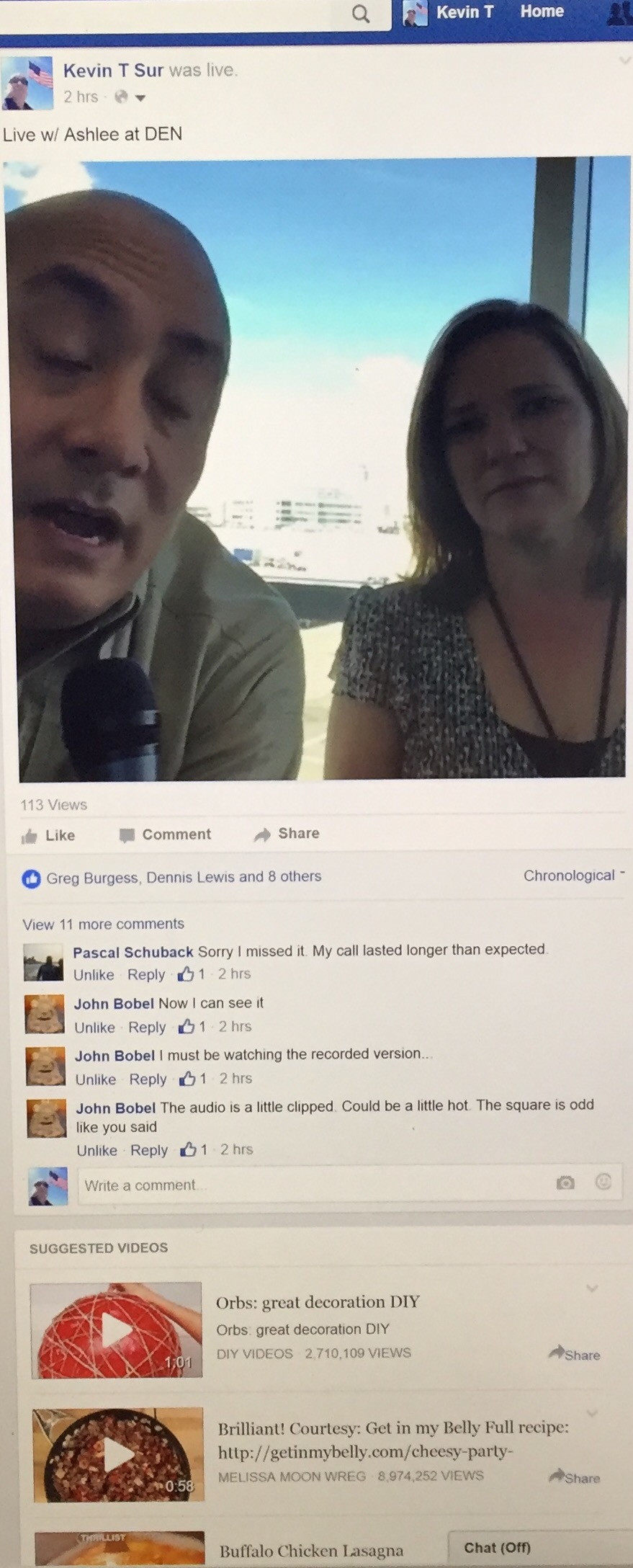
21. Facebook’s adds that followed the video posting were completely off. Facebook apparently gleaned orbs, DIY, recipe, cheesy, and buffalo chicken lasagna. Clearly NOT what we were talking about in the video. Maybe their voice recognition isn’t working quite yet.
Oh well, just a few of my thoughts on one of the initial runs on Facebook Live.
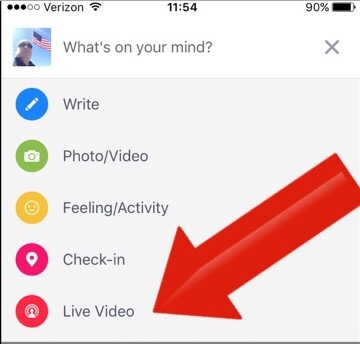
Do you have Facebook Live?






 Where is @rusnivek?