You got the touch, you got the power! #NatlPrep

4th week of 2015 National Preparedness Month is all about Power outages.

So do you have the power?

OK, that’s one power…but before you stick the Matrix in your chest, maybe simply start by charging your phone.

screen-image-low-battery

Don’t wait. Communicate. Make your emergency plan today.

CKYhdyqUMAQdNj1

You’re at your best when the road gets rough…

Be Ready by starting here!

@rusnivek

640 Insta -> 1080 Insta #Instagram

Instagram just announced that it will go from 640×640 picture posts now to 1080 x 1080 picture posts.

This is most likely attributed to mobile hardware improvements since 2010 and camera phones now take excellent pictures. So to meet the new uploads and higher quality standards, Instagram changed their programming to allow users to include more.

So what does all that gobbledygook actually mean for the Instagrammer?

Before you could only post this type of image with marginal clarity (640 resolution).

IMG_0288a

Now, you can post this with better quality and better clarity (1080 resolution).

IMG_0288b

Bigger picture at a standard 1080 resolution, better clarity, and a much better story platform for your audience.

Picture border? Still square.

Time is short, so Gram good stuff.

@rusnivek

FireChat – First look 

FireChat – First Look
There has been lots of discussion about mobile message apps using MESH networks. Just like my deployment to Hurricane Katrina/Rita in Louisiana’s Lower 9th Ward, we had no cell service which means no internet. Common in disasters, many startups are looking to bridge that gap using Bluetooth/MESH networking for any type of mobile technology.
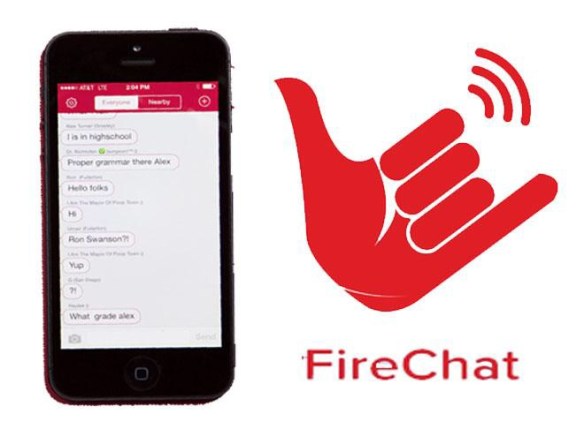

MESH networks literally work by using other devices in your general vicinity to relay/transmit data to any available network. Devices can automatically network with each other via flood technique (overwhelming) or routing technique (hardware hoping). To put it into terms that we in government are more used to hearing, this type of networking is considered a mobile ad-hoc network that can operate independently with little or no internet connection.

Some advantages include internet use with at least one actual connection, increasing local networking by locality through mobile hardware, and of course an automatic mobile-to-mobile network.

Some dangers include lack of security, mobile device protection, connection reliability, and as the MESH network grows the more prolonged data delays occur.

Soooooooooooo, just like when ello was released, I downloaded the app and started using it. I engaged with various users over the course of the last 4 weeks. Here’s my notes.

  • GPS data is incorrect. I was in Dallas’ airport and it pegged me in Natchitoches, LA.
  • Bluetooth is another way for MESH networks to communicate but strength of mobile-mobile connections is fleeting/passing in an airport
  • Hyperlinks do work.
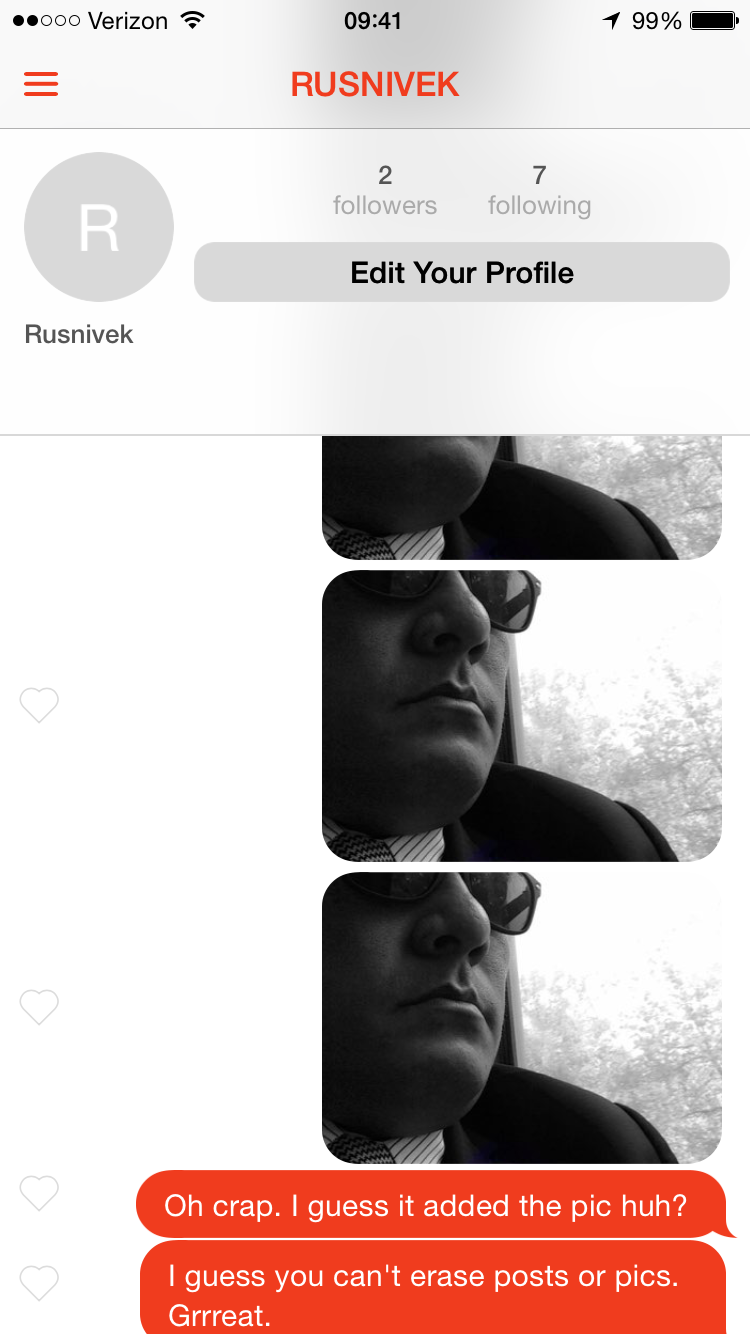
  • When you upload a picture, FireChat does NOT give a confirmation message or pop-up that your picture is uploaded (I found this out because I uploaded my picture six times before I realized what was happening). #whoopsies
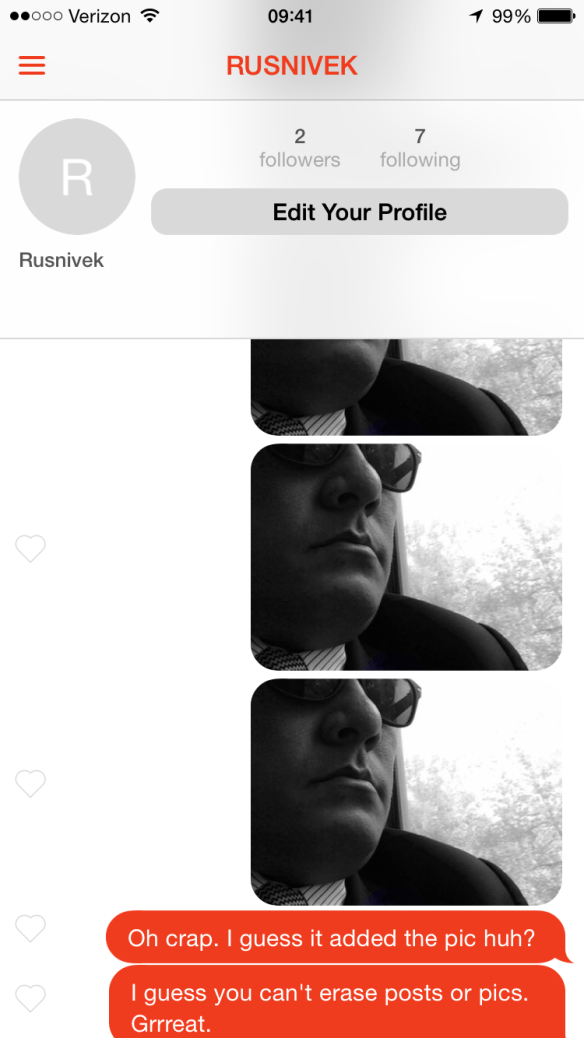
  • Aaaaand you cannot erase pictures.
  • Users cannot erase comments.
  • Hashtags help users identify topic and discussion.
  • Hashtags are hyperlinked in FireChat to those specific groups.
  • Twitter handles do NOT hyperlink to Twitter accounts
  • Phone numbers hyperlink to phone app (list using xxx-xxx-xxxx). It also works using the xxxxxxxxxx format but it looks cleaner and easier to recite w/ natural “-” breaks.
  • FireChat does not allow cut/paste function.
  • GPS coordinates do not hyperlink to any maps (Apple Maps or Google Maps)
  • USNG does not work either.
  • Refresh rate is slow (when compared to Twitter’s network refreshes faster and is more streaming).
  • In a known dead spot for cell service, MESH network was slow and did not connect to internet.
  • Trolls are rampant and uncontrolled in the main chatroom.
  • Main chatroom has various and NSFW topics.
  • Many users do not identify themselves with a profile picture or descriptor.
  • Many users are using this service as a social network for personal PERSONAL reasons.
  • Bad words are censored on FireChat with “*****”. Unknown what those specific terms are.
  • You can like a comment from others or about yourself. Other users can see that someone has liked the comment/content by the red heart displayed. No amount is quantified. Just one lonely red heart.

If Emergency Management was to use FireChat, designate a specialist to monitor to observe and engage pertinent conversation in main chat room directing them to distinct #group in FireChat.

At this time, I only use FireChat when I’m bored and want to see if they have developed other functionality tools.

Just a few initial thoughts on FireChat.

@rusnivek

Twitter is now tracking all other apps too! Freaked out?

So…this just happened to me.

IMG_2361

Twitter will now track the activities from all your OTHER apps on your smart phone/tablet.

That’s right, Twitter will use:

  • your FourSquare/Swarm geolocation data to target you for ads.
  • your pictures to see what you take pictures of to target you for ads.
  • your songs to see what music you listen to so they can target you for ads
  • your Instagram photos to see who likes them so they can target ads to them.
  • your airlines apps so they can serve you targeted ads on your flights
  • your phone calls to see who/where you call so they can target ads to you/them.

You get the idea.

Yeowza Twitter.

From Twitter’s EULA: “…collecting and occasionally updating the list of apps installed on your mobile device so we can deliver tailored content that you might be interested in.”

Creeped out? You know you can disable this feature through the Twitter app’s settings menu. Depending on the iOS:

  • For iOS device users: disable this through setting —> account -> privacy -> Tailor Twitter based on my apps.
  • For Android users: settings -> account -> other ->Tailor Twitter based on my apps.

I get that Twitter would like to collect data with what I do using in the Twitter app. In fact, I expect it. However, I am a bit uncomfortable with Twitter collecting info from various other apps.

Not cool Twitter. Way to be that creepy Uncle.

@rusnivek


Finding alternative solutions to charge your stuff…w/ a 9-volt battery #NatlPrep #Prepared2014

TGI-Friday in this second week in 2014 National Preparedness Month.

“Be Disaster Aware, Take Action to Prepare”

What a week!

This week’s theme is consistent with FEMA’s National Preparedness Campaign: Know How To plan for specific needs before a Disaster.

#12: Finding alternative solutions to charge your cell phone…like charging it with a simple 9-volt battery (video) #NatlPrep #Prepared2014

All you need is your phone, cig plug cable, 9-volt battery, and a simple key.

MacGyver your stuff up!

macgyver

By learning alternate ways to deal with power problems, you can easily have uninterrupted cell phone service and power while staying in close communications with your family.

So be creative peeps…and go and find a few 9-volt batteries and test this out.

@rusnivek

Pets have specific needs during a disaster…so plan now #NatlPrep #Prepared2014

It’s a beautiful Sunday as we start the second week of 2014 National Preparedness Month!

“Be Disaster Aware, Take Action to Prepare”

#SundayFunday right?

This week’s theme is consistent with FEMA’s National Preparedness Campaign: Know How To plan for specific needs before a Disaster.

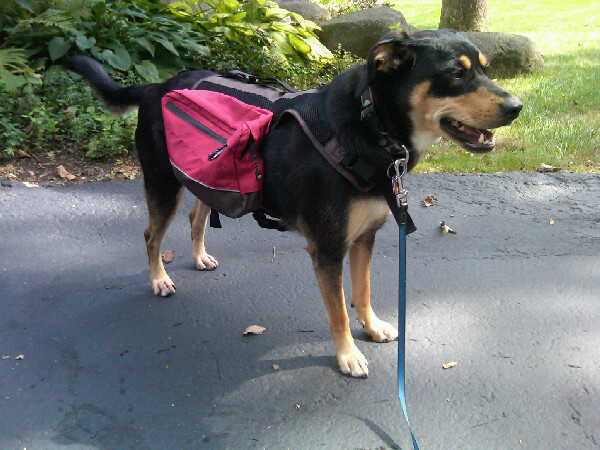
#7: I have 3 days of food/water including meds & toys in my dog’s ready-go kit. #NatlPrep #Prepared2014

Ab1WIEjCMAAiMsg

My immediate family includes my dog too…so I want to make sure she is prepared and can carry her own stuff.

Included in her pet preparedness kit includes a 3×5 notecard with

  • her name
  • her basic information (breed, name, phone, medications)
  • owner information (our names, address, phone, emails, twitter handles)
  • her vet name and contact information
  • vaccination records
  • her backup dog tags
  • and a 24-hour emergency vet clinic with emergency surgery capability

You can create your own pet preparedness list by using the information found here.

A3zo-HyCYAEABct

Good girl Kacy!

This year, make sure you include all your pets in your preparedness efforts because they have specific needs in a disaster.

@rusnivek

Multi-purpose binder clips help a lot #NatlPrep #Prepared2014

Rounding the corner through the first week of 2014 National Preparedness Month!

“Be Disaster Aware, Take Action to Prepare”

Of course you need to be prepared right?!?!? My goal is to provide actionable information so that you can better prepare you and your family.

This week’s theme is consistent with FEMA’s National Preparedness Campaign: Reconnect with Family After a Disaster.

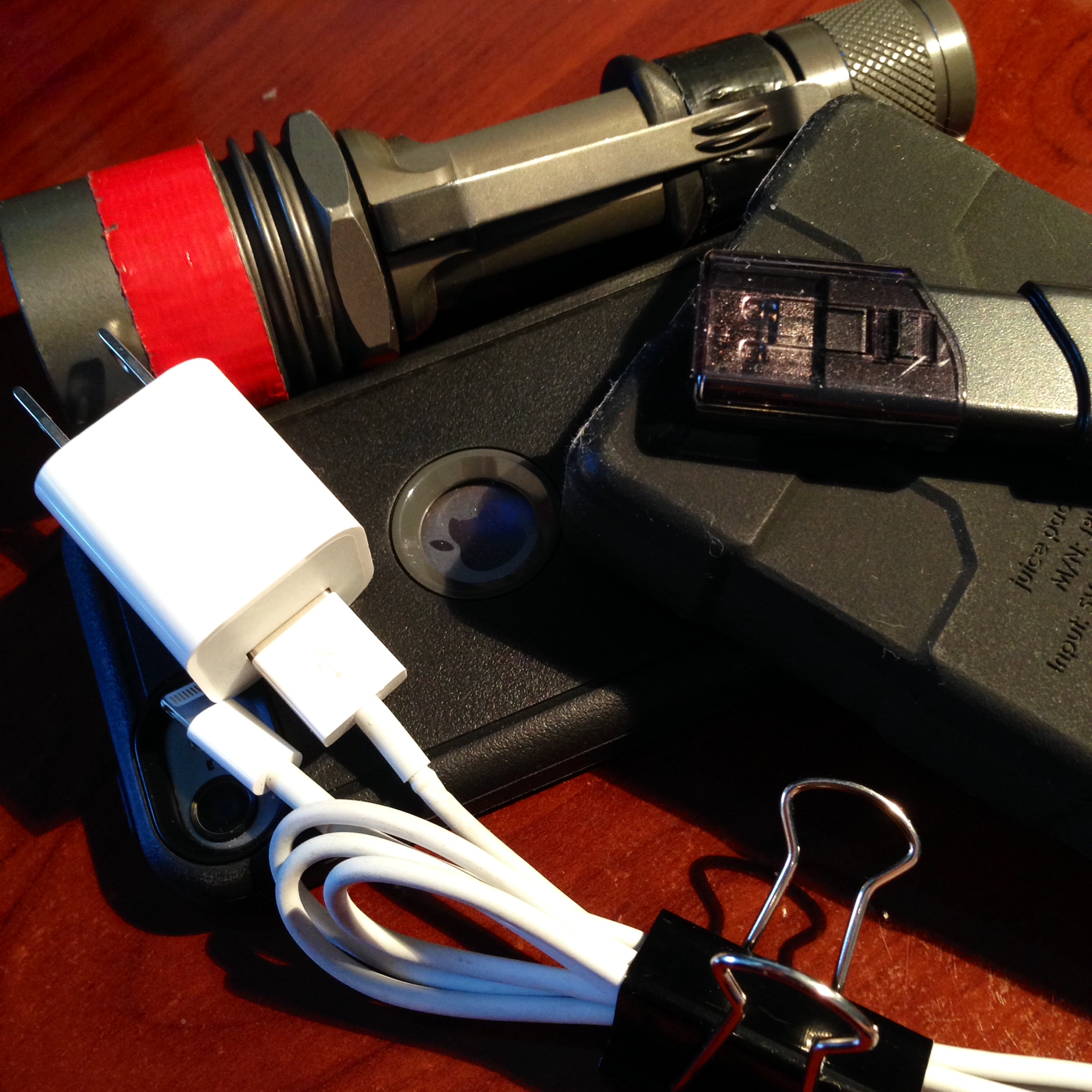
#4: Multi-purpose binder clips help keep wires organized for easy visual access to connection points #NatlPrep #Prepared2014

Week-01-Reconnect-CommunicationsGear

These office binder clips allow me to keep things organized, clean, stowed neatly, and tied down as I travel around. Additionally, I am able to pair the ends of the cables together so I can immediately see the end attachment points.

(And who doesn’t love binder clips right?)

I have assessed my entire family’s cell phones and mobile devices and found that this lightning cable is needed by everyone. We are an iPhone 5 & 5s family.

Not pictured above, are my micro USB cables which charge other mobile devices. Everyone should plan on supporting power needs for the family’s mobile devices (tablets) and accessories (keyboards).

tablets

Assessing the entire family’s cell phone power needs before a disaster can ensure that your family will remain connected through and after a disaster.

Family first peeps!

@rusnivek

NPM_thunderclap_hero_v2


Free tips: When Thunder Roars, Go Indoors #NWS #Lightning #safety

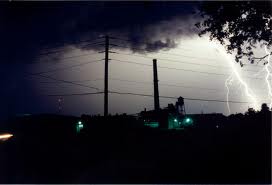
This week is National Lightning Safety Week.

It is everyone’s responsibility to be safe especially during thunder and lightning

imagesCA942DFB

Here’s a few free tips you can use to prepare for severe weather like lightning:

  • At any hint of thunder and/or lightning, move quickly to a safe shelter area. Remember the phrase: When Thunder Roars, Go Indoors!
  • Immediately postpone all outdoor activities for everyone…including adults!
  • Secure outdoor objects that could blow away or cause damage.
  • Break out your emergency preparedness kit and see if all flashlights are working. If not, get them in working order.
  • Charge all of your mobile devices including your cell phone now before the power goes out.

To get up to the minute updates during the Thunderstorm:

  • Use your battery operated NOAA Weather Radio for updates from the National Weather Service.

And after the storm passes, take these precautions as you survey the damage around your house:

  • Do NOT touch downed power lines. Assume all lines are charged and dangerous. Call your emergency services to handle safe removal of lines.
  • Power out? Check the power company’s website from your mobile smart phone to see who else doesn’t have power here.

Feel free to share these tips with your neighbors throughout the year.

@rusnivek

Its #EMSWeek2014 – We need your help in roadway safety #Paramedic #EMT #Firefighter

It’s #EMSWeek2014 – Stressing safety to everyone is an important part of our job.

We are seeing more car crashes due to distracted driving. Put down your phone and pay attention to the road. As emergency responders, I would hate to meet you for the first time like this…

P1210014

Worse yet, we don’t want to get hit.

http://www.youtube.com/watch?v=-RNn8CBklf4


Distracted driving can injure and kill. Remember, don’t text and drive.

Please, share this message with others and stress the importance of roadway safety.

And again, thank all your first responders for their dedicated service.

b34c63bf37814e9db7437c55e3da6be61

@rusnivek

Free Wireless Emergency Alerts from @FEMA #OHWX #Prepareness2014

It’s 2014 National Severe Weather Awareness Week from March 2nd through March 8th.

Today, we will focus in on wireless mobile notification alerts!

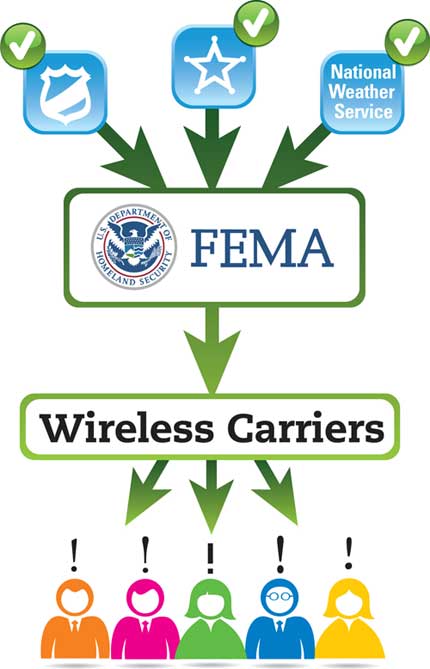
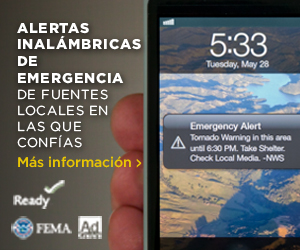
Have you heard of Wireless Emergency Alerts (WEAs)?

  • Alerts received at the right time can help keep you safe during an emergency. With WEA, warnings can be sent to your mobile device when you may be in harm’s way, without need to download an app or subscribe to a service.
  • You can receive important lifesaving alerts no matter where you are – at home, at school, or at work. Numerous public safety officials use reliable systems to alert you and your family in the event of natural or man-made disasters. Many communities also offer emergency alert notifications through their own systems.

fema-wireless-emergency-alert-procedure

Do you know what the Emergency Alert System (EAS) is used for?

  • The Emergency Alert System (EAS) is a national public warning system that requires broadcasters, satellite digital audio service and direct broadcast satellite providers, cable television systems, and wireless cable systems to provide the President with a communications capability to address the American people within 10 minutes during a national emergency.

IMG_3311 copy

Meshing all technologies together, do you know how the Integrated Public Alert & Warning System (IPAWS) is already helping everyone?

  • The Integrated Public Alert and Warning System (IPAWS), is a modernization and integration of the nation’s existing and future alert and warning systems, technologies, and infrastructure.
  • IPAWS’ EAS is the message dissemination pathway that sends warnings via broadcast, cable, satellite, and wireline services. EAS may be used by state and local authorities, in cooperation with the broadcast community, to deliver important emergency information, such as weather information, AMBER alerts, and local incident information targeted to specific areas.
  • The Emergency Alert System (EAS) is a national public warning system that requires broadcasters, satellite digital audio service and direct broadcast satellite providers, cable television systems, and wireless cable systems to provide the President with a communications capability to address the American people within 10 minutes during a national emergency.300by250_Spanish_5

At this time in Ohio, the Integrated Public Alert & Warning System (IPAWS) authorities who have completed the authentication steps are:

1. Ashtabula County

2. Clark County

3. Delaware County

4. Fairfield County

5. Geauga County

6. Lucas County

7. Ohio Emergency Management Agency

8. Tuscarawas County

ant

Hope you are paired with one of these local agencies to receive better information during severe weather or major emergency…otherwise, you’ll be left out in the dark.

photo 2

@rusnivek