My first week with ello #SocialMedia #SMEM

As promised, here’s my quick initial review of ello.
photo 2

It’s only been a few days…so I figured since everyone isn’t on it, this might help show some of the difference between this new emerging social media platform compared to others.

Here’s a quick news package story from the founders of ello.co from Vermont.

Hot Social Network Ello Starts in Vermont

(Love the small town local news)

For those that think this is like Facebook? Nope. The company’s mantra of a simple ad-free platform is as plain jane as can be. Not much there. In fact,

Few initial notes I have on ello:

  • Comments are a bit weird as they are currently in a separate box which is unattached to the picture you upload.
  • The gigantic fat Noise button – I’m still unclear on what that is. I feel like it’s kinda like the “I’m Feeling Lucky” button on Google.
  • No search feature.
  • No geolocation feature
  • I think more people are talking about ello on FB, Twitter, Insta, Vine, Snapchat, etc….than people actually ON ello.
  • No hashtag or category use
  • Stop trying to force me to Say Ello…But I WILL say ello with a horrible British accent
  • No trending topics.
  • After I post an update (or Say Ello…) Why do I have to move my cursor over to the “Post–>” button?
  • No popular happenings.
  • Finding friends is hard. Not cool. They are my friends.
  • No app.
  • Feels awfully like Tumblr.
  • It’s difficult to find friends because I have to first find them individually on their own page and then follow them. I can not pick them up from a list.
  • Kinda google plus-ie eh?
  • ello email notifications are simply notifications. It does not include the comment or response. Cannot be used for “documentation”. No point in Email notifications if you don’t notify me of what the message is.
  • Description is about the same, but not as prominent as Twitter.
  • Website link is there. Hope that ello will add a “preview” of website there.
  • Location? Hometown? Where U AT?
  • Trending based topics is not searchable (at this time).
  • Not having some sort of “rules” for picture posting, the pictures that are posted are either really wide or vertical. Not much semblance in fitting into screen.
  • Links to sites do NOT preview. FB does that.
  • No info provided on the analytics of views aka shown by the eyeball. Maybe that will come after beta.
  • Archiving for security.
  • When is ello projected to be out of beta?
  • List of people or things that I could follow too? When I find others similar to me, I want to see what they follow. I am assuming that we have similar interests. Hoping a future column to be added later in ello.
  • Posted times are approximate. Public safety demands exacts so I hope they put a more accurate time of post rather than “~11h”
  • Filters are absent.
  • Multiple picture uploads are not happening. Maybe that’s too cluttered for their “clean” layout.
  • x5 invites only to a closed social media platform? C’mon-what is this?!? 2003?!?!!?
  • @WTF….I mean policies/information tab. Hilarious, but very techy.
  • Formatting of posts using ** or * is kinda programmerish. Tron aficionados will love it, but not everyone programs…so this type of lingo isn’t going to fly for very long.
  • In the “Say Ello…” box  (aka status box) I find it weird that they tell you to Say Ello….when you really are going to write a comment about something else.
  • Reposting isn’t as inviting as FB’s “Share” button – and not easy to find.
  • On ello, you do not have to use your real name. but in the WTF rules, ello has their rose colored glasses on and “The Don’t impersonate others. Be yourself, or a version of yourself. Please don’t pretend to be someone else.”
  • Mobile ello is way better than desktop ello.
  • DYK: ello.com is different than ello.co
  • Advise your SM followers to turn off autofill or muscle memory of “co” vs “com”
  • Funny fact: Someone created a Mark Zuckerberg profile on ello.com – and it wasn’t Zuck.
  • Circle profiler picture is neeto, but I think I like square.
  • The ello logo is kinda creepy w/ no eyes right?

Forgot your password? I tested their forgot password send. The emailed reminder is hilarious, but NSFW. This kind of email would (obv) not pass work computer filters.

photo 1

Testing browsers, I found a few interesting non-compliant issues.

  • Desktop CPU / Windows-7 / Internet Explorer: Picture upload and layout/formatting issues
  • Desktop CPU / Windows-7 / Chrome: Friends take up too much screen real-estate in widescreen format.
  • Desktop CPU / Windows-7 / Safari: Too wide – again with the wide screen look (Maybe I’m too used to the vertical FB?)
  • Desktop CPU / Windows-XP / IE: Picture uploading issues
  • Desktop / Apple / Safari: Spread out (widescreen awkward formatting)
  • iPhone-5 / Safari: MUCH better layouts
  • iPad-Air / Safari: Better screen formatting and (my guess) it looks like it was designed for tablet.
  • Blackberry browser….who am I kidding. I haven’t seen one in the wild for 2 years now.

Ello’s HQ sent an email last night touting their recent successes. Cool.

photo 2b

I do enjoy the quick simple emails with picture.

But let’s be honest, most of the ello participants that are already on ello, were drawn to the line in the email last night…”

photo 1

The use of “thingy” has me worried…and of course excited. Thanks Matt.

Well, since this is in beta, I’m sure there will be more good things to come. But at this time, I am doubtful will hold (DWH).

Not even close to ready for use during disasters or emergencies.

Because of the low participation and beta, this platform is not useful for preparedness or response or recovery or intelligence.

Special thanks to @schnick for the invite.

Maybe more good stuff from ello.co on the horizon.
@rusnivek


A list of religious agencies involved in post disaster support #NatlPrep #Prepared2014

Ahhh, the smell of Saturday…in the last day of the second week in 2014 National Preparedness Month.

“Be Disaster Aware, Take Action to Prepare”

Finishing strong in week-2!

This week’s theme is consistent with FEMA’s National Preparedness Campaign: Know How To plan for specific needs before a Disaster.

#13: Plan with religious agencies to support recovery efforts after a disaster. Keep an updated list at the ready. #NatlPrep #Prepared2014

IMG_7396

Now, I’m not much of a church guy…however you don’t need to be religious to realize these services exist. It would be well worth your time to learn what groups are active and which ones could support your recovery efforts after a big disaster.

So keep a current list with names and phone numbers of groups who are active in disaster recovery. As an example:

And if you don’t use them, maybe your neighbors could utilize their services.

All planning should force you to think outside-the-box when addressing unmet needs. All of these groups are a vital part of our All-Hazards response in rebuilding every community post-disaster.

@rusnivek


Multi-purpose binder clips help a lot #NatlPrep #Prepared2014

Rounding the corner through the first week of 2014 National Preparedness Month!

“Be Disaster Aware, Take Action to Prepare”

Of course you need to be prepared right?!?!? My goal is to provide actionable information so that you can better prepare you and your family.

This week’s theme is consistent with FEMA’s National Preparedness Campaign: Reconnect with Family After a Disaster.

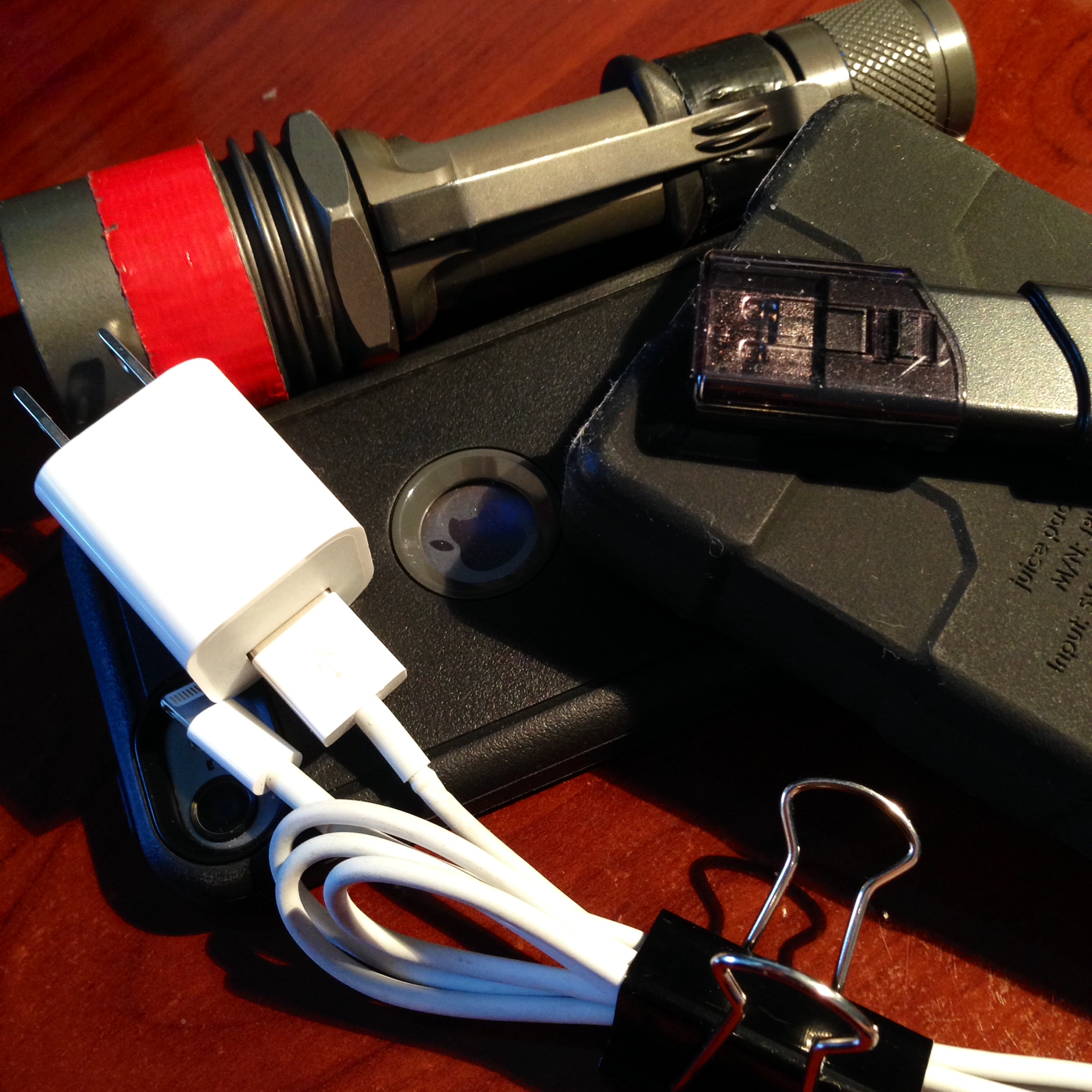
#4: Multi-purpose binder clips help keep wires organized for easy visual access to connection points #NatlPrep #Prepared2014

Week-01-Reconnect-CommunicationsGear

These office binder clips allow me to keep things organized, clean, stowed neatly, and tied down as I travel around. Additionally, I am able to pair the ends of the cables together so I can immediately see the end attachment points.

(And who doesn’t love binder clips right?)

I have assessed my entire family’s cell phones and mobile devices and found that this lightning cable is needed by everyone. We are an iPhone 5 & 5s family.

Not pictured above, are my micro USB cables which charge other mobile devices. Everyone should plan on supporting power needs for the family’s mobile devices (tablets) and accessories (keyboards).

tablets

Assessing the entire family’s cell phone power needs before a disaster can ensure that your family will remain connected through and after a disaster.

Family first peeps!

@rusnivek

NPM_thunderclap_hero_v2


Cell phone WITH cables and external power supply #NatlPrep #Prepared2014

Half way through the first week of 2014 National Preparedness Month!

“Be Disaster Aware, Take Action to Prepare”

Lots to do…just be prepared!

This week’s theme is consistent with FEMA’s National Preparedness Campaign: Reconnect with Family After a Disaster.

#3: Have extra cables w/ multi-option external power supply for charging your cell phone. #NatlPrep #Prepared2014

Week-01-Reconnect-CommunicationsGear

Because we use/push more information and data, our power consumption has skyrocketed. I find that having extra cables in various lengths will make life easier when charging your phone. Keeping your family informed before/during/after a disaster is so important – so keep your mobile devices charged!

Additionally, my extra battery pack has gets used almost daily. Busy lifestyles call for travel or remote working options so choose one that has a USB connection(s) so you can charge your various mobile devices.

Because you never want to be *that guy* or *that girl* who hides in the corner next to a smelly garbage can to use the lonely random plug because of this…

screen-image-low-battery

@rusnivek

NPM_thunderclap_hero_v2

Use ALL your tools to communicate during a disaster #NatlPrep #Prepared2014

Hello from the first week of 2014 National Preparedness Month!

“Be Disaster Aware, Take Action to Prepare”

Just a reminder, throughout this month, I’ll be pushing preparedness stuff…for free! No fuss – no muss!

This week’s theme is consistent with FEMA’s National Preparedness Campaign: Reconnect with Family After a Disaster.

Mobile-267x300

#2: Have at least two (2) ways to communicate with your family before & during & after an emergency. Cell phone, text msg, Tweets, Email, Post, Pin, Snaps…use it all!

Yep, I’ll be revisiting my family’s communications plan tonight. Will you?

@rusnivek

NPM_thunderclap_hero_v2

No HIPAA violation, but RN fired for posting to Instagram?

Wait a sec…

You can get fired for posting an Instagram picture even without a patient in the picture?

untitled

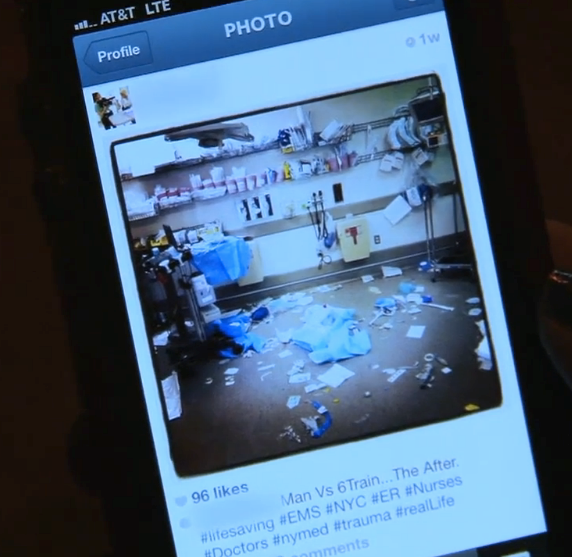
Instagram post (Cort of ABCNews.com)

Apparently Katie Duke (RN) was fired from New York Presbyterian Hospital because of her Instagram post was deemed “insensitive”.

We talk a bunch about this my PIO/Social Media classes right?

http://instagram.com/thekatieduke

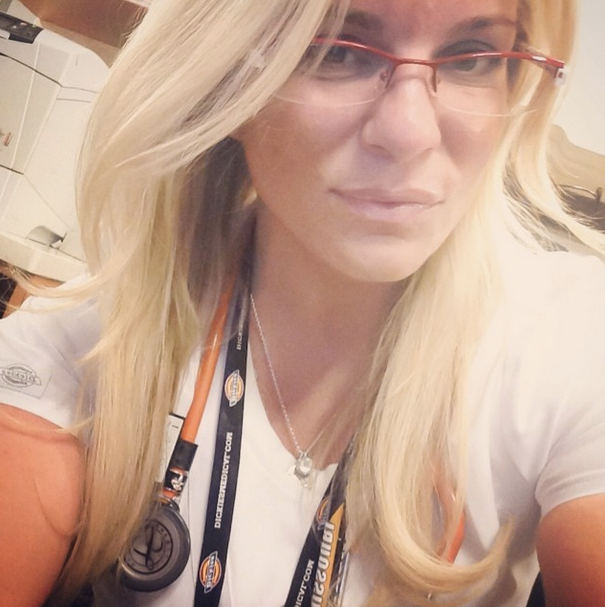
Katie Duke on Instagram

Again I ask, can you get fired from your job because of an Instagram post?

Guess so…

@rusnivek

Accountability is key in any event or disaster – Well done Chief!

Glad to see my T-card class is being used already for all the public safety professionals in the Mahoning County area today for their big event Thunder Over the Valley.

PerformersHeader

Way to use ICS and NIMS for resource allocation on scene as well as in the air too (And we all know it’s not easy keeping up with the USAF Thunderbirds).

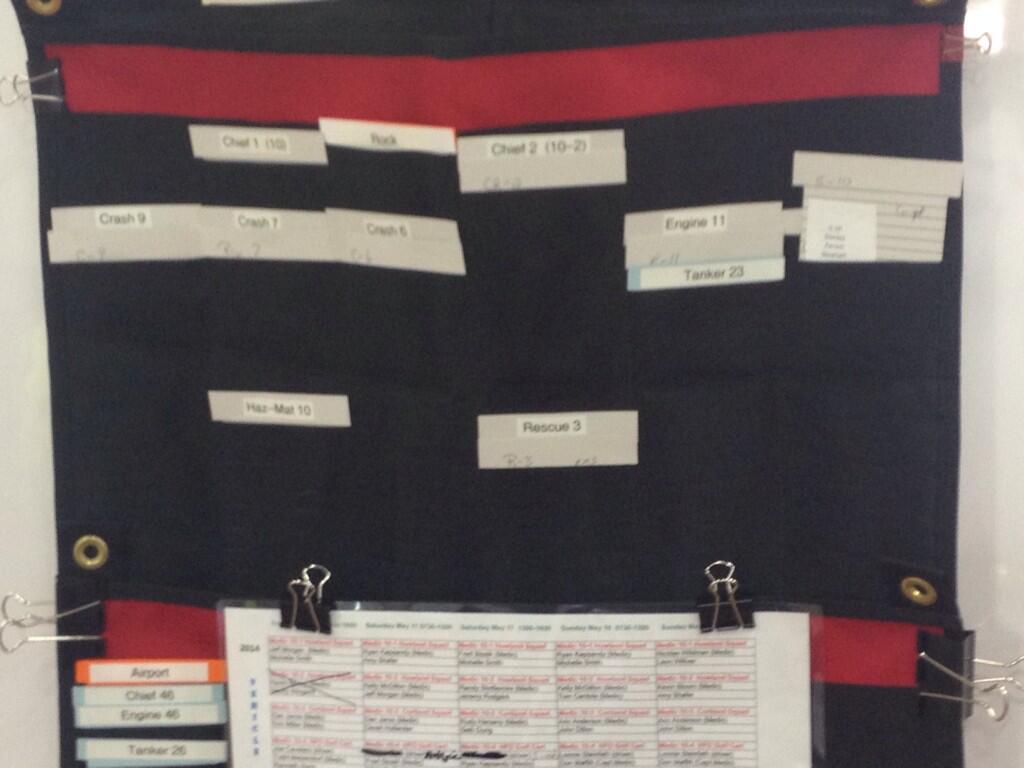
Also, check out a behind the scenes shot from Bazetta Fire Chief Dennis Lewis at their Incident Command Post. OSC, PSC, and RESL positions referencing those valuable T-cards.

Bn2KT2uIQAAkx8r Bn2KTmLIMAAupMN Bn2KTteIgAAyei0


For any occasion, event, or disaster – accountability will make or break you. So make sure your crews know what to do.

Keep up the solid work peeps!

@rusnivek

Busted because of her Facebook post bragging of her “breatalyse” test results

That’s right, she got caught because of her Facebook post. colleen

Colleen Cudney was convicted for DUI in 2012. One condition – she is to submit to random breathalyzer tests.

Fast forward to St Patrick’s Day 2014 (March 17th, 2014). Colleen was out carousing and drinking. On Tuesday March 18th, 2014, Colleen gets called in for a random breathalyzer test.

Colleen passes. She’s so amazed, that she takes to Facebook and posts about it: “Buzz killer for me, I had to breatalyze (sic) this morning and I drank yesterday but I passed thank god lol my dumbass.” 

faceboooook

Well, well, well…..Local law enforcement called Colleen back again for an additional urine test. Colleen had indeed failed the more precise urine test. Colleen

At this time, Colleen is looking at an additional 93 days in jail from the 18th District Court in Michigan for violating her parole. Nice work Colleen.

Shockingly, Colleen has since deleted her Facebook post and her Facebook account. Hmmmmm.

Morale of the story: Know the power of social media because what you post, isn’t really private.

@rusnivek

@rusnivek’s Top-6 Public Safety / PIO social media tip-2 …for free

@rusnivek’s Top-6 Public Safety / PIO Social Media tips…for free

Again, I need to provide you more public safety social media tips. And since you have very little time in the day to spare, maybe you can read this while going down the elevator. Again, I’ll keep it short.

Here’s part-2 of my top 6 SM tips for public safety professionals / Public Information Officers (PIOs). And yes, it’s still free for you.

@rusnivek Social Media Tip-2: Every post, every avenue, every audience…anytime.

With so many different avenues of social media, one person cannot conceivably keep up with every emerging new program.

Pick a few platforms that work for you and that your audience mainly uses and post. Make it pertinent to your mission, make those posts reflect your organization’s objectives and goals, but most importantly, feed it.

Don’t be such a stickler about posting every day at the same bat time, at same bat place, on the same bat things. Change it up make your audience crave your info and make them check your feed incessantly for information they need.

1454805_1430462643835849_892712016_n

During an emergency, don’t just decide “Oh now is the time we should start to…”

STOP <SMH>  cause you are already dead in the water. #FAIL

So feed it anytime. It only takes a few minutes to feed it. Do it now.

Tip-2: Every post, every avenue, every audience…anytime.

@rusnivek

@rusnivek’s Top-6 Public Safety / PIO social media tips…for free

I had a thought this AM..I need to provide you more public safety social media tips. And since you only have 30 seconds to spare, maybe less, I’ll keep it very short.

SO, here’s part-1 of my top 6 SM tips for public safety professionals / Public Information Officers (PIOs). And yes, it’s free for you.

@rusnivek Social Media Tip-1: Post it first (because they don’t interview the runner-up).

If you don’t post it first, someone else will be first to tell your story.

And that’s going to suck…because only you tell your story the best.

It only takes a few minutes to tell your story. 

It takes a TON of money and time to fix the wrong story, and then to tell it right.

To put things in perspective, “There are no points for second place.”

425_topgun_cruise_tom_lc_042710

Tip-1: Post it first (because they don’t interview the runner-up).

@rusnivek